Unlimited AI locally on your computer. And its free.
Free software that runs open source AI models locally on your computer. Unlimited access to models from OpenAI, Google, Meta, and others with no usage limits, no fees, and complete privacy.

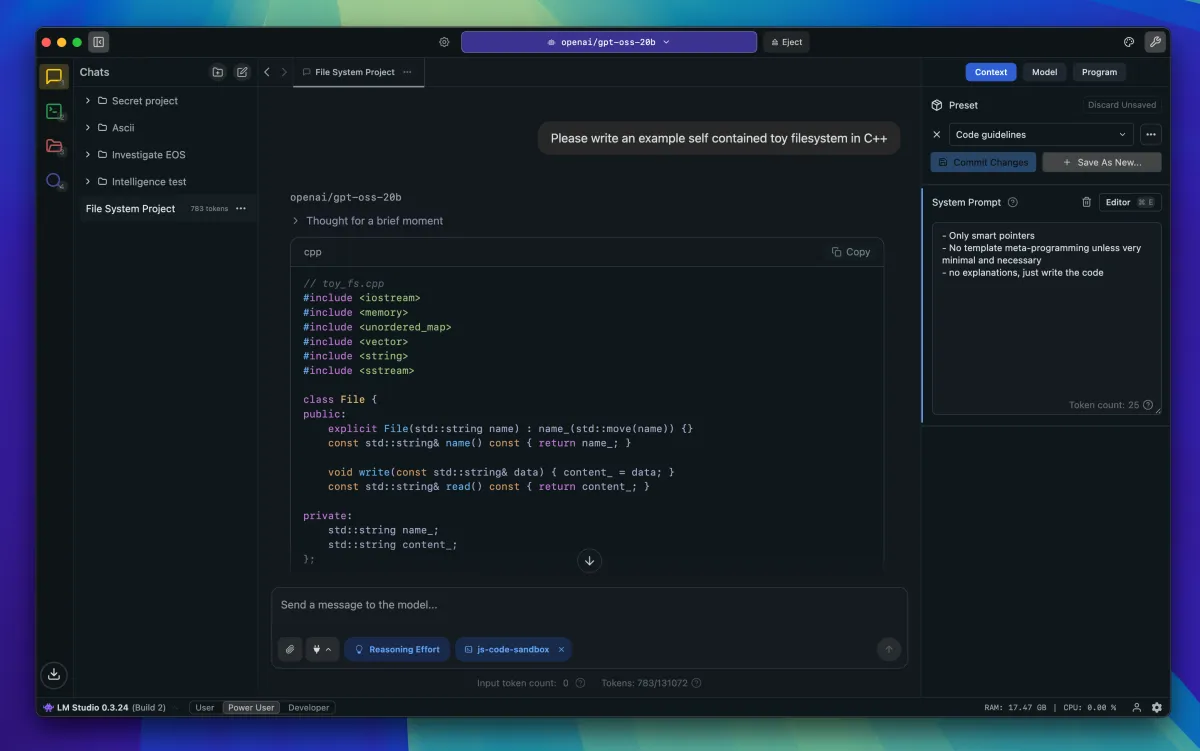
I've been exploring ways to run AI models locally, and stumbled on LM Studio. If you're curious about AI but put off by subscription costs or privacy concerns, this is worth your attention.
LM Studio is free software that lets you run open source language models directly on your computer. Once it's set up, you have unlimited access to models from OpenAI, Google, Microsoft, Meta, and others - no usage limits, no monthly fees, no sending your data to third-party services.
Why bother?
Two main reasons drove me to try this: privacy and unrestricted access.
Like most people, I have general concerns about what happens to data when you use AI services. Personally identifiable information, health-related questions - AI can be helpful with this kind of thing (though always seek advice from actual professionals), but commercial services aren't designed for that level of privacy. Running models locally removes that concern entirely. Your data stays on your machine.
The unrestricted access matters too. When you're learning something new - particularly something technical like app development - you ask a lot of questions. Some of them are basic, some are exploratory, many lead nowhere. Not worrying about hitting usage limits or burning through credits changes how freely you can experiment.
The practical side
Here's what makes this particularly useful: once you install an LLM locally, it's available system-wide. I discovered this while trying to set up XCode with Claude - turns out XCode can connect to locally hosted models and use them for code generation directly in your development environment. If you're a developer, or aspiring to be one, this opens up possibilities without the friction of context-switching between tools or managing API keys.
Different models have different capabilities. Google's Gemma 3 and Qwen 3 VI models have vision capabilities - you can feed them screenshots, which is remarkably useful for reviewing designs or debugging interface issues. OpenAI's gpt_oss 20B model gives generally solid responses across a range of tasks. These local models won't match the accuracy of frontier models on complex reasoning tasks, but for general use, they're more than capable.
The catch
Your computer's hardware matters. I'm running this on a MacBook Air M2, and it handles several models reasonably well, though performance can slow down when I'm pushing it hard. If you're on older hardware, you'll need to be realistic about what you can run effectively.
The interface looks complex at first glance, even though it isn't particularly complicated once you understand the basics. LM Studio is well documented, and the setup process is straightforward enough if you're willing to work through it. The reward - free, private, unlimited AI access - is absolutely worth those initial hoops.
Worth exploring
I was pleasantly surprised by how useful this turned out to be. The combination of being free, relatively easy to set up, and genuinely functional makes it worth trying if you're interested in AI tools but want more control over how you use them.
I'll write up a proper setup guide in a follow-up post, but if you're curious about running AI models locally, LM Studio is a solid starting point.