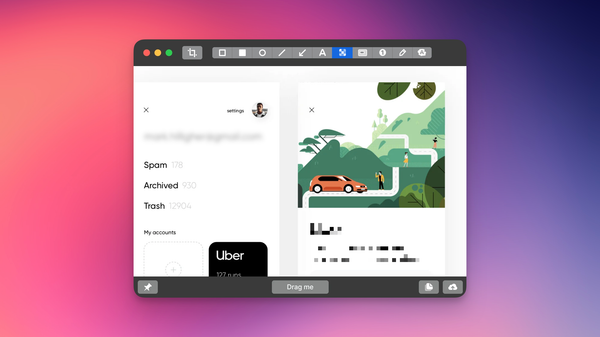
I Built an Instapaper MCP Server
Talk to Claude about your reading list. Organize hundreds of bookmarks in seconds. Built in a weekend by a designer who doesn't write code.


I built an MCP server that lets Claude manage your Instapaper reading list through conversation. It's open source on GitHub, works locally on your machine, and handles everything from bulk organization to research synthesis.
If you use Instapaper and Claude Desktop, you can install this in about five minutes and start talking to Claude about your bookmarks.
What It Does
The Instapaper MCP Server gives Claude direct access to your Instapaper library. Instead of clicking through menus to organize articles or manually searching for that piece you saved three months ago, you just ask Claude.
Here's what works:
Organization and cleanup: Bulk move articles between folders. Archive dozens of old bookmarks at once. Star or unstar articles in batches. Create folders, delete folders, reorganize your entire structure through conversation.
Search and discovery: Find articles by topic, keyword, or theme. Claude can search across titles, URLs, and descriptions - then actually read the full text of articles to synthesize insights across multiple sources.
Reading workflows: Get personalized recommendations based on your starred articles. Generate weekly reading digests. Track reading progress. Let Claude suggest what to archive based on age and activity.
Content access: Fetch full text from individual articles or pull content from multiple articles simultaneously for research synthesis.
The server exposes 30+ tools that Claude can use to interact with Instapaper's API. You don't need to know which tool does what - you just ask Claude what you want, and it figures out the rest.
Why I Built This
I read on a Kobo e-reader. Kobo recently added Instapaper integration, which means I can send articles from my phone to my e-reader for offline reading - perfect for flights, trains, or anywhere without reliable internet.
The problem: my Instapaper queue was a mess. Hundreds of unread articles with no organization, piling up faster than I could sort them. I needed a way to quickly triage what to send to my Kobo before traveling over the holidays.
Clicking through Instapaper's interface to organize articles one by one wasn't realistic. I needed bulk operations, intelligent filtering, and the ability to ask "what's worth reading this week?" and get a useful answer.
There's another reason this matters: sometimes when Claude does detailed analysis or synthesis work for me, I want to read that output on my e-reader rather than staring at a laptop screen. Claude can send content directly to my Instapaper account, which means I can ask it to analyze a dozen articles, synthesize the insights, then save that synthesis to Instapaper so I can read it properly on my Kobo later.
So I built this. Now I can tell Claude "organize my queue by topic and show me the top design articles" or "archive everything older than three months that I haven't starred" and it happens in seconds. And when Claude generates something worth reading carefully, it can send that straight to my reading list too.
Why MCP Servers Matter
MCP (Model Context Protocol) is a new standard that lets AI assistants interact with external services through a standardized interface. Think of it as a bridge between Claude and your tools.
Before MCP servers, you'd need to manually copy data between apps, use clunky integrations, or build custom scripts. Now you can just talk to Claude about your data, and it handles the coordination.
The Instapaper MCP Server is one example. You could build similar integrations for any service with an API - task managers, note-taking apps, project management tools, calendar systems.
Real Example
Here's a conversation I had with Claude this morning:
Me: "What's in my Instapaper queue?"
Claude: "You have 47 unread articles across Tech, Design, and Product folders."
Me: "Archive anything older than three months that I haven't starred."
Claude: "Archived 23 articles. 24 remain in your queue."
Me: "What should I read first this week?"
Claude: "Based on your starred articles about design systems and your recent saves, I'd recommend starting with 'Scaling Component Libraries' - it connects themes from three other articles you've saved recently."
That entire interaction took 30 seconds. Doing it manually through Instapaper's interface would've taken 15 minutes of clicking through dialogs.
How I Built This
I'm a UX designer. I don't write code professionally. I built this entire MCP server in less than a day using Claude to handle the implementation while I focused on what needed to exist.
I'll write more about that process in the next few weeks - what it's like building with AI when you don't have a development background, what worked, what didn't, and what this means for designers who've always relied on developers to build their ideas.
Getting Started
The GitHub repository has complete setup instructions. You'll need:
- Node.js 18 or higher
- An Instapaper account
- Instapaper API credentials (request at instapaper.com/api)
- Claude Desktop
Setup takes about five minutes. The README walks through configuration, and there's a quickstart guide for getting it running immediately.
Your credentials stay local - they're stored in an .env file on your machine and never leave your device. The server runs locally and communicates directly with Instapaper's API.
What's Next
This is production-ready and I'm using it daily to manage my reading list. The code is open source under MIT license - you can use it, modify it, or learn from it.
I'm planning to write about the build process, the actual workflows I've developed, and what it means when the barrier between "I wish this existed" and "I built it" drops to a weekend of work.
If you build something with it or run into issues, open an issue on GitHub. I'm curious what people do with this.